On eBay, a lot of attention goes to your feedback as a seller. But there’s a question that matters just as much and gets far less help:
“What do I actually know about this buyer before I ship?”
eBay gives you plenty of information about the order and the buyer — but it doesn’t give you a simple way to turn your own history with that buyer into a single risk signal: whether they’re a loyal repeat customer or someone who has cost you money before.
That’s exactly what a buyer rating is for.
The problem: every buyer looks the same at the point of sale
When an order lands, two very different buyers can look identical:
- One has bought from you ten times, always smoothly.
- The other opened an “item not received” case last month and left negative feedback the month before.
Without a memory of your past dealings, you treat them the same — and you only remember the difficult ones once the problem repeats. As your order volume grows, holding all of that in your head stops working.
What a buyer rating should be
A useful buyer rating has three qualities:
- It’s yours. Based on your order history with that buyer, not a generic public number.
- It’s transparent. You can see exactly why a buyer scored the way they did.
- It’s tunable. You decide what counts as a red flag, because every business has a different tolerance.
How the rating works
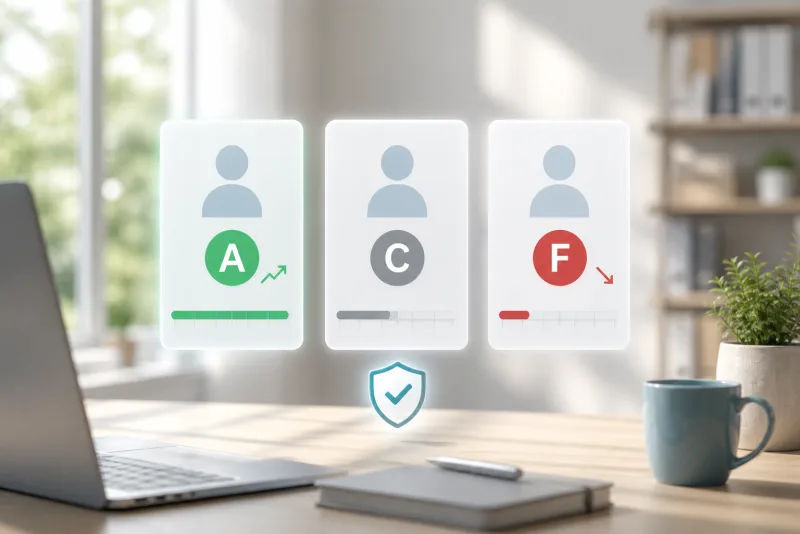
In Inselan, every buyer gets a score from 0 to 100 and a simple letter grade from A to F.
A brand-new buyer starts in the middle — a neutral 50 (grade C) — because you have no history with them yet. From there, the score moves as real events accumulate across all of your orders with that buyer.
A buyer with no history isn’t treated as risky. They simply start neutral.
Signals that lift the score
- Completed orders (shipped and kept, no refund)
- Positive feedback
Signals that pull it down
- Neutral or negative feedback
- Cancellations (a smaller hit before payment, a larger one after)
- Partial or full refunds
- Returns
- “Item not received” cases — and an extra penalty if a case is escalated to eBay
The grade is just a friendly summary of the score:
- A — Excellent
- B — Good
- C — Average (the neutral starting point)
- D — Elevated Risk
- F — High Risk — consider blocking
One deliberate detail: the positive contribution from completed orders is capped. A loyal customer with hundreds of smooth orders can’t bank an unlimited buffer that hides a sudden run of problems — the rating stays honest about recent behaviour.
You stay in control
There’s no single “correct” definition of a risky buyer, so the whole model is yours to shape:
- Adjust the weight of every signal — make a negative feedback sting more, or a pre-payment cancellation matter less.
- Move the grade thresholds — decide where A stops and D begins.
- Recalculate all buyers at once after a change, so your history is re-scored under the new rules.
Change the numbers, hit Recalculate, and your whole buyer base is re-evaluated consistently.
From a number to a decision
A rating is only useful if it’s in front of you at the right moment, so the grade badge shows up where decisions happen — in your buyers list, on the buyer’s profile, and right in the Flags column of your outgoing orders, next to signals like repeat-customer counts and buyer notes.
Click any badge and you get the full breakdown: every event, how many points it added or removed, and why the buyer sits where they do. Nothing is a black box.
For the buyers you never want to worry about, you can mark them Trusted. For the ones you’d rather avoid, you can block them — manually, or with optional automatic blocking when a buyer drops to a grade you choose. Auto-blocking is off by default and entirely opt-in, because it’s your call, not the tool’s.
A couple of honest notes
- This is your private rating, built from your order history, feedback and cases with each buyer. It isn’t eBay’s official assessment of that buyer, and it isn’t shared with them.
- Blocking a buyer in Inselan is a local control — it stops your auto-messages and flags their orders. Adding them to eBay’s own blocked-buyer list is a separate step on eBay (Inselan makes it easy to jump there).
FAQ
Is the buyer rating an official eBay rating?
No. It’s a private Inselan score based entirely on your own history with the buyer. It isn’t an eBay rating, and it isn’t visible to the buyer.
Sell with memory, not guesswork
A buyer rating turns scattered order history into a single, honest signal you can act on in a second: reward the loyal customers, spot the risky ones before you ship, and stop re-learning the same painful lessons.
In Inselan, buyer ratings are built in — transparent, fully customisable, and surfaced right where you manage orders, so you always know who you’re selling to.