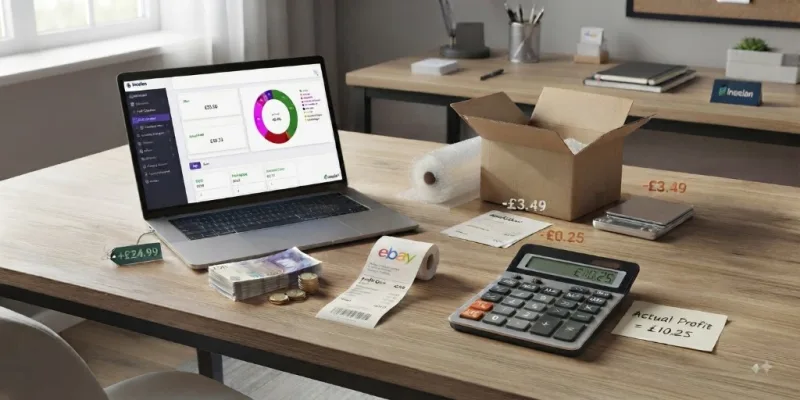
Many eBay sellers know exactly how much they sell. They can tell you how many orders they received this month, their total sales revenue, and their best-selling products.
But ask a different question:
“How much did you actually make after all costs?”
And the answer is often much harder to find. Because revenue is not profit. A business can have growing sales and still struggle to understand which products are actually making money.
The hidden costs that affect your eBay profit
Many sellers calculate profit in a simple way:
Selling price − Product cost = Profit
But real eBay selling involves many more costs.
Marketplace fees
Every sale can include different marketplace costs:
- selling fees;
- payment processing fees;
- promoted listing costs;
- other selling-related charges.
To understand your real margins, you need to see the complete cost of each transaction.
Shipping costs
Shipping can have a major impact on profitability. A product that looks profitable before shipping may have a very different margin after:
- postage;
- packaging;
- fulfilment costs.
Packaging and consumables
Boxes, envelopes, labels, tape, bubble wrap, and other supplies are real business expenses. For sellers shipping hundreds or thousands of orders, these small costs can add up significantly — yet many sellers never include them when calculating product profitability.
Returns and refunds
A returned or cancelled order is not always a simple reversal. There may still be:
- shipping costs;
- marketplace charges;
- packaging costs;
- time spent processing the order.
Understanding the complete order lifecycle helps create a more realistic view of profitability.
Example: the product that looked more profitable than it really was
Imagine you sell an item on eBay. Without tracking every cost, it is easy to overestimate your margins:
When you sell hundreds of items, small differences like these can have a big impact on your bottom line.
Why inventory cost matters
Many sellers purchase stock at different prices over time. For example:
Knowing what you actually paid for the stock you are selling matters for product profitability, inventory value, and overall business performance. Inselan records each purchase as a separate batch at its real cost, so your inventory is valued on what you genuinely paid — not a rough guess.
The problem with many seller tools
Many eBay management tools are excellent at helping sellers create listings, manage orders, and automate workflows. But running a successful selling business requires more than managing transactions. A seller needs to know:
“Which products are actually making me money?”
Not just: “How many items did I sell?”
Introducing Inselan
Inselan is being built for eBay sellers who want a clearer picture of their business performance. Instead of only tracking sales activity, Inselan connects your marketplace data with profitability insights.
It helps sellers understand:
The goal is simple: help sellers understand the money they actually make.